The Suica App has revolutionized the way commuters travel and make payments in Japan.
With just a few taps on your smartphone, you can create a virtual Suica Card, link it to your preferred credit card, and enjoy the convenience.
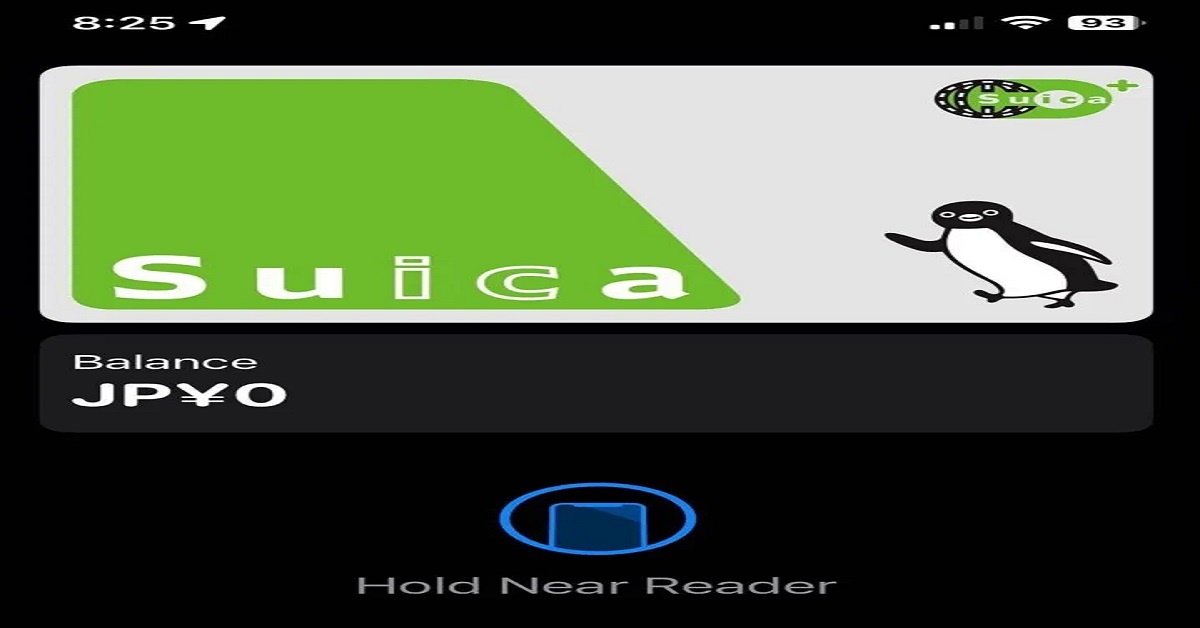
Suica Card
Suica is a rechargeable, contactless smart card system developed by JR East (East Japan Railway Company)
Is used on public transportation in Japan, primarily in the Tokyo metropolitan area and surrounding regions.
It functions much like an electronic ticket—customers can tap their Suica card on a designated reader at train or bus gates to pay fares quickly.
The Suica Card itself is the physical (or digital, if used on a smartphone or smartwatch) representation of this system.
- Once loaded with funds, it allows users to ride trains, buses, and even make purchases by linking it to Apple Wallet or Apple Pay.
- Instead of carrying coins or individual tickets, commuters can simply add credit to their Suica Card and enjoy a more convenient travel and shopping experience.
Why Use the Suica App?
The Suica App is designed to make commuting simpler and more efficient.
- In addition to purchasing tickets for trains or buses, you can use Suica as a convenient payment method at shops, vending machines, and other compatible points of sale.
- One of the biggest advantages of using the Suica App is its seamless integration with Apple Pay.
- You can just tap your iPhone or Apple Watch when passing through ticket gates, removing the need for physical cards entirely.
- Allows you to check your balance, view your transaction history, and recharge your card balance in seconds.
- Once your Suica Card is linked to a credit card, reloading funds becomes a breeze.
Downloading the Suica App and Creating an Account
To get started, you’ll need an iPhone running the latest iOS version.
- Head to the App Store on your iPhone.
- Search for “Suica” and find the official Suica App, then tap the “Get” or “Download” button.
- You’ll be prompted to create an account if you haven’t done so already.
Simply provide your email address, set a password, and verify your credentials. - After confirming your email, log in to your new account.
Steps to Create a Suica Card in the Suica App
Below are the step-by-step instructions:
- Open the app and tap “Suica Issue.”
- Select “My Suica.”
- Register with your name.
- Agree to the terms and conditions.
- Enter your email address.
- Enter the confirmation code sent to your email.
- Create a password and enter your personal details.
- Choose the amount to load and select your payment method.
- Confirm the payment.
You can select your newly approved Tokyo Bank credit card as the default payment method when you reach the payment step.
This allows you to top up your balance with just a few taps and ensures a smooth commuting experience daily.
Linking to Apple Wallet
The final step is integrating your newly created card into your Apple Wallet.
- Open the Wallet app
- Tap the button to add new
- Select Transit Card or Travel Card
- Choose the Suica card
- Indicate an initial amount to load to the card
- Tap Add
Your iPhone might prompt you to confirm the transaction using Face ID, Touch ID, or your passcode.
Once confirmed, your Suica Card will appear in your Apple Wallet alongside other cards you’ve added.
Frequently Asked Questions (FAQs)
Q1: Do I need to carry a physical Suica Card if I have the Suica App?
- No, you can rely solely on the digital Suica Card in your Apple Wallet.
However, some users prefer to keep a physical card as a backup.
Q2: Can I transfer an existing physical Suica Card to the Suica App?
- Yes, you can transfer an existing card to your iPhone through the Suica App.
Follow the on-screen prompts to migrate your physical Suica into a digital card.
Q3: Is it safe to store my credit card information in the Suica App?
- The Suica App and Apple Pay use secure encryption technologies.
Your credit card details are tokenized, adding an extra layer of protection.
Advise to use the Suica Card
Here are a few tips to help you get the most out of your Suica Card:
- Keep an Eye on Your Balance: Before riding a train or bus, make sure you have enough funds loaded You can check your balance at ticket machines, via the App, or directly on your phone if you’ve added it to Apple Pay.
- Top Up Conveniently: If you have the physical card, use ticket machines at any JR East station or convenience stores that support Suica recharge. If you’re using the App, you can top up via your linked credit card, eliminating the need to visit a machine.
- Consider Getting a Commuter Pass (If You Commute Regularly): If you travel the same route daily, you can add a commuter pass (定期券) to your Suica. This pass can be purchased at ticket machines or through the app, potentially saving you money on regular commutes.
- Remember Your Phone Battery: If you rely on a digital card (on iPhone or Apple Watch), keep an eye on battery life. You won’t be able to tap through the gates if your device runs out of power (though the latest iPhones may offer an “Express Transit” reserve for limited taps).
- Manage Multiple Cards if Needed: You can create or hold multiple Suica cards in your Suica App, each assigned for different purposes (e.g., personal commuting, travel, etc.). Just remember to keep track of balances and commuter pass dates separately.
- Watch for Discounts and Promotions: Some retailers or ecommerce platforms offer bonus points or discounts when you pay. Keep an eye out for seasonal deals or promotions run by JR East.
- Stay Updated on Refund Options: If you move away from Japan or stop using Suica, you can get a refund of the remaining balance on a physical card at JR East service centers (minus a small handling fee).
Contact Information
If you need further assistance regarding your card, you can reach out to JR East.
They’ll address any inquiries related to applications, interest rates, or transaction disputes.
- Telephone: +81 (50) 2016-1603
- Address: 2-2-2 Yoyogi, Shibuya-ku, Tokyo 151-8578, Japan
Conclusion
The Suica App offers unmatched convenience for daily commuters and occasional travelers alike.
By integrating a Suica Card with your iPhone and linking it to a credit card, you can use your Suica balance for a wide range of purchases.
Disclaimer: This article is for informational purposes only and does not constitute financial or legal advice. Interest rates, fees, and terms and conditions mentioned here are subject to change without notice.